
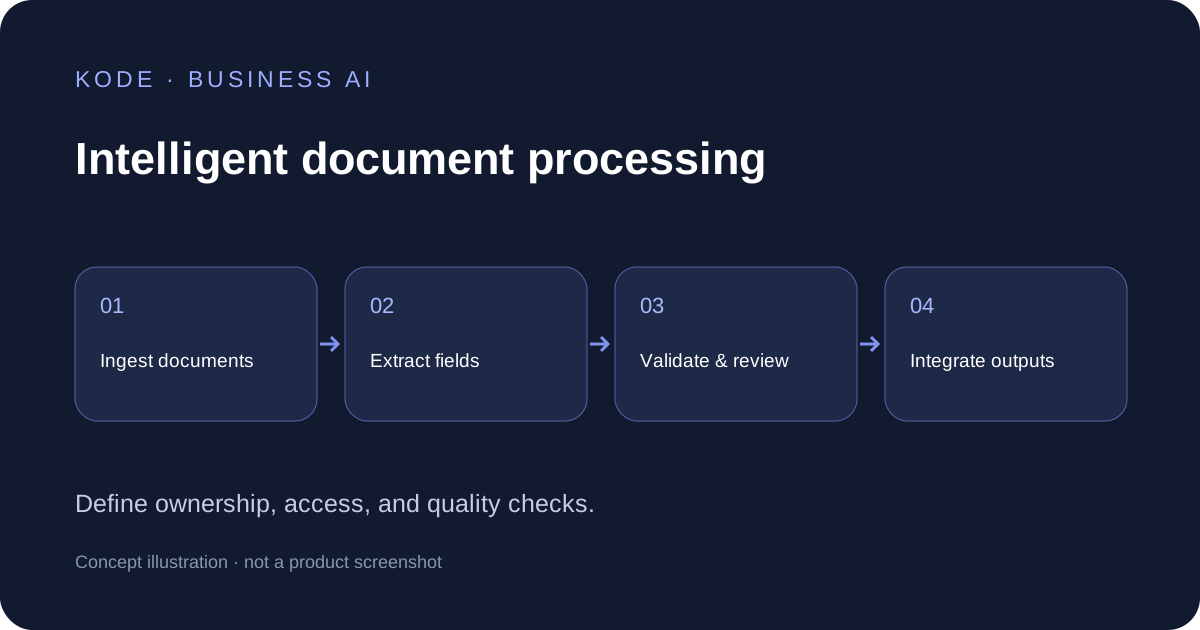
Intelligent document processing is an approach that helps a business turn documents into data that its teams can check and use. It combines document recognition, extraction, validation, and workflow integration. The practical goal is to reduce repetitive handling while preserving the controls required for reliable business decisions.
For an operations team, the question is whether the extracted information reaches the right system with enough context and accountability. This guide explains the technology, useful pilot candidates, and a practical acceptance plan. The examples and calculations are illustrative; they are not claims about KODE client results.
What is intelligent document processing in a business workflow?
IDP is an approach to interpreting document content and turning selected fields into a usable output. A document might be a scanned invoice, a purchase order, or a digital form. Different document types require different extraction rules and review criteria.
AWS describes intelligent document processing as a way to automate document data entry and connect the extracted information to other processes. IDP uses recognition methods that may involve optical character recognition, natural language processing, and machine learning. The capabilities of a particular implementation need to be tested on its actual inputs.
Start by defining a business outcome. For example, a purchasing team might need verified supplier names, order references, and totals in a review queue. The data is useful only when staff can trace it to the document and correct exceptions before it enters the next workflow.
Document types, document formats, and extraction requirements
Inventory your document formats before selecting a tool. Native PDFs, photographs, scanned pages, and spreadsheets create different challenges. A clean digital form may have stable fields; a photograph may include shadows, rotation, or unreadable text. A multi-page document can contain attachments that need separate handling.
| Input category | Example | Pilot question |
|---|---|---|
| Structured | A standard internal request form | Are fields complete and consistent? |
| Semi-structured | Supplier invoices with varying layouts | Can totals, references, and line items be validated? |
| Unstructured | A supporting letter or operational report | Can the requested information be located with evidence? |
| Mixed batches | An order bundle containing several attachments | Can each document be separated and classified correctly? |
Record language, page count, layout variations, and image quality for each document type. Keep unusual examples in the test set. Testing only the easiest documents hides failure modes that will appear in production. An IDP system should have a defined route for unsupported inputs.
The first step in IDP: scope and intelligent document classification
The first step in IDP is identifying the document family and the workflow that needs improvement, then agreeing on the task, owner, and acceptance criteria. Before automation begins, decide which documents belong in the process and which should be rejected or reviewed. A supplier invoice and a quotation can look similar while requiring different treatment.
Intelligent document classification assigns a category to incoming files so the appropriate handling can follow. IBM distinguishes classification, extraction, and output as core activities in its overview of intelligent document processing. In your pilot, the classification result should be visible and correctable rather than silently treated as fact.
For IDP to support operations, define the ownership of the intake queue. Capture a file reference, arrival time, and processing status. Preserve the original document so a reviewer can inspect the source when a result is uncertain.
OCR, natural language processing, and the role of IDP systems
OCR converts text in images into machine-readable characters. Intelligent character recognition can address more varied character shapes, while intelligent word recognition works at the word level. These capabilities do not establish that an amount belongs to the correct field or that a transaction should be approved.
Natural language processing can help interpret content beyond fixed positions. Depending on the implementation, extraction may also use layout-aware models or generative AI. Evaluate the complete pipeline rather than assuming that one model can handle all document types reliably.
IDP systems need validation and a destination for the output. A proposed total might be readable yet inconsistent with line items. A reference might look plausible but fail to match the purchasing record. Treat extraction confidence and business validity as separate checks.
The difference between intelligent document processing and OCR
Automated document processing is a broad label used for several types of automation. Some tools simply digitize and route files; others extract fields. OCR converts images of text into characters; intelligent document processing generally adds classification, interpretation, structured field extraction, validation, and handoff to other systems. Product terminology varies. Compare demonstrated capabilities and review controls rather than labels alone.
Microsoft's IDP overview discusses processing structured, semi-structured, and unstructured information. For a buyer, the useful distinction is what happens after text is recognized: can the system identify requested data, prepare an accessible output, and support the workflow you need?
From automated document processing to business systems
Robotic process automation can connect steps that imitate user actions in existing software. Where possible, assess supported integrations before relying on fragile screen interactions. Agree on what happens if the downstream system is unavailable or its interface changes.
If you use IDP to automate an intake queue, verify what happens when a destination rejects a record. Test retries and duplicate handling rather than assuming a successful extraction completed the task. With IDP, the processing status should tell staff whether a record is waiting for review, approved, or received downstream.
Keep an inventory of document types and their supported rules. With intelligent document processing, a plausible field remains a proposed value until its validation requirements are satisfied. This distinction helps reviewers prevent readable but incorrectly mapped information from entering a business system.
Use cases for intelligent document processing
The best pilot candidates have recurring document work, a clear owner, and measurable handling effort. The following use cases are examples to evaluate against your own process. They do not imply that every task should be automated from intake to final approval.
- Invoice preparation. Extract supplier details and amounts into a queue for reconciliation. Keep payment authorization in the approved financial process.
- Purchasing administration. Compare references across quotations, purchase orders, and delivery notes. Escalate mismatches for review.
- Logistics records. Prepare shipment identifiers and dates for an operations dashboard. Retain the source for exception handling.
- Service requests. Turn submitted forms and attachments into a consistent case record. Separate missing data from confirmed values.
- Contract administration. Capture dates and named parties for an administrative register. Route interpretation and decisions to authorized reviewers.
Choose cases for IDP where mistakes can be caught before they cause a consequential action. A narrow preparation task is often easier to evaluate than an open-ended promise to automate all documents and decisions.
Benefits of intelligent document processing: a realistic business case
Teams use intelligent document processing with the aim of reducing retyping, accelerating preparation, and creating more consistent records. Those outcomes depend on input quality, review effort, integration, and adoption. Measure the time spent on the whole workflow, including exceptions and corrections.
Consider a hypothetical team handling 1,200 documents per month. If manual document processing takes eight minutes per file, it requires 160 hours. If a pilot reduces average handling to three minutes, including review, the new total is 60 hours. The difference is 100 hours of capacity; it is not automatically a cash saving or revenue increase.
Include software, implementation, storage, integration, review, and maintenance costs in the business case. Compare cost per accepted document before and after the pilot. Capacity gains have value only when the organization can use the released time or avoid an actual cost.
Intelligent document processing with review and validation
- Capture. Receive files through approved channels and assign a traceable reference. Check for duplicates and supported formats.
- Classify and extract. Identify the category, extract the requested fields, and retain source evidence for important values.
- Validate. Check required fields, arithmetic, dates, and references against agreed rules. Route uncertainty to a reviewer.
- Review. Let staff compare output with the source, correct fields, and record the reason for changes.
- Deliver. Send an approved output to the destination system and verify receipt. Keep a status that distinguishes prepared, reviewed, and successfully posted.
This is a suggested control design for a pilot. Adapt it to your document processing workflows and the risks of each field. Extraction success should not automatically trigger payment, contractual commitment, or another consequential action.
Document processing with a review queue also makes failures visible. If data entry and correction are simply moved into another inbox, the bottleneck may remain. Make the exception owner and response process part of the implementation.
Choosing the best intelligent document processing software
The best intelligent document processing software for your team is the one that meets its acceptance criteria at a sustainable operating cost. Ask suppliers to test your representative documents, disclose supported formats, and show how uncertainty and integration failures are handled.
- Which languages, layouts, and document formats have been tested?
- How are tables, attachments, and multi-page files handled?
- Can reviewers see the source behind extracted values?
- Can rules, permissions, and output schemas be configured?
- What happens when an integration fails or a file is duplicated?
- How are storage, retention, access, and vendor data use controlled?
- What costs grow with pages, requests, users, or review volume?
Do not select document automation software from a single demonstration. Include poor scans and unfamiliar layouts in the evaluation. Confirm which maintenance tasks belong to your team and which belong to the provider. A clear support model matters when the process becomes part of everyday work.
Pilot metrics for IDP: accuracy, processing time, and exceptions
Track metrics such as processing time, accepted-field accuracy, exception rate, and successful delivery to the destination. Report critical fields separately. An average across easy fields can hide mistakes in totals or account references.
Prepare a held-out test set with human-verified expected outputs. Keep it separate from samples used to tune the system. Document the treatment of blank, unreadable, and missing fields. Measure how often the system correctly flags uncertainty instead of producing a convincing guess.
For your document processing pilot, also record reviewer effort and adoption. IDP can be technically effective while remaining impractical if the queue is difficult to use. Compare end-to-end handling time and failure recovery, not only model latency.
Processing documents: document management and integration
Document management and extraction have different responsibilities. The first stores, organizes, and controls access to files; the second prepares values for processing. In document operations, both need a shared reference so staff can connect the data and its source. IDP solutions should fit this relationship rather than create an isolated copy of document records that nobody owns.
The following is a suggested implementation brief for the IDP pilot: list the type of document, required fields, permitted inputs, reviewer, destination, and acceptance rule. The document processing owner should sign off on the business meaning of each field. The data processing team should confirm that the output format can be accepted downstream.
For example, a date may represent an issue date, delivery date, or due date. Processing documents without this distinction can create a valid-looking value in the wrong field. Intelligent document processing solutions therefore need a schema that defines meaning as well as format. A missing value should remain visibly missing until verified; it should not be silently inferred.
Manual data entry and processing can remain the sensible choice for rare or highly variable inputs. Assess the need for automation against measured effort and risk. Moving document processing into software does not remove responsibility for checking the output. Use a staged rollout to confirm that processing of recurring files becomes more reliable before expanding.
When discussing costs, define the unit of document processing. A file, a page, an extracted field, and a successful transaction are different units. Ask how processing of attachments, failed attempts, and retries affects the invoice. Keep this definition consistent when comparing providers and calculating the cost of an accepted output.
Use document processing to prepare reviewable records, then verify the handoff. If you connect processing to an ERP, track a destination identifier and receipt status. A technically successful extraction should remain distinguishable from a successfully delivered record. This makes recovery possible when the destination is unavailable.
Security and ownership of intelligent document processing
Map who may upload, read, correct, approve, and export information. Use approved data locations and restrict access according to the task. Agree on retention and deletion processes before sensitive documents enter a new platform. Ask how vendor services use submitted information.
Before rollout, define acceptance gates, a fallback process, and responsibility for monitoring. When layouts change, retest the affected document types. Review model and rule updates before wider deployment so a previous result is not assumed to remain valid indefinitely.
Intelligent document processing can be effective as a managed workflow with accountable owners. Begin with one document family, prove the handoff, and expand only after the evidence supports it.
Where intelligent document processing fits: planning with KODE
KODE helps businesses in Indonesia consider AI adoption through strategy, implementation, operations, and training. Explore KODE's AI implementation services and security and data approach when outlining a document workflow.
Discuss one document process with KODE. Bring the document categories, monthly volume, current handling time, and destination system. Share anonymized samples through an agreed channel so scope and acceptance criteria can be discussed before a pilot begins.