
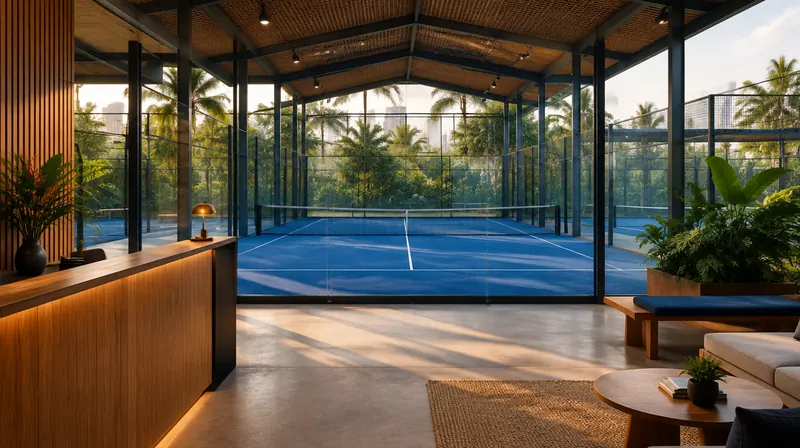
One official address for prospective players
Before booking, players want to understand the location, courts, facilities, opening hours, and reservation process. A venue website brings that information into one address for your Instagram bio, business profile, promotions, and conversations with prospective players. The name, colours, photography, and content follow your venue’s identity. Clear information helps players decide what to do next.
Answer questions before a booking
The structure can include a main introduction, venue story, facilities, rates, opening hours, gallery, genuine reviews, and contact and location details. Use photographs of courts and facilities you actually provide. Assign an owner to update rates and schedules so they stay consistent with reservation channels. Reviews need appropriate sources and permission; unsupported popularity claims are not added.
Connect to the booking platform you already use
For an information website, a booking button can point to Courtside, AYO, Gelora, or another venue reservation link. It directs players to your existing channel. Availability synchronization, on-site reservations, payment gateways, and player accounts are separate integration or application work. If those features are needed, we assess technical feasibility and operational responsibilities first.
WhatsApp for questions and special requests
A WhatsApp button lets players ask about racket rental, community sessions, private events, or needs that require a staff conversation. The destination number should be managed by your venue team. Put basic information on the website so conversations can focus on the player’s needs. WhatsApp clicks can be measured as interest; confirmed bookings follow the venue’s reservation process.
Preview, approval, and launch
Start with the venue name, city, logo, photographs, facilities, rates, opening hours, contact number, and booking link. KODE prepares the structure and a preview for review. The launch schedule is agreed once required materials and access are available. Before publication, check booking, WhatsApp, maps, and mobile layouts. Domain, hosting, analytics, revisions, and support follow the agreed proposal.
Discuss broader operational needs
The RALLY demo can support a discussion of player and operator workflows: schedule selection, a booking portal, an owner calendar, and customer information. It uses a fictional club and simulated data. Application features in the demo help scope requirements; they are not automatically included in a venue information website. Live integrations, payments, and message delivery must be configured and tested for each venue.
Scope to discuss
- Official website using the venue’s approved identity and information
- Booking, WhatsApp, location, and social links
- Mobile layout, link testing, and scoped measurement
- Access handover and content-update guidance
Common questions
We already use Instagram and a booking app. What does a website add?
A website becomes an official information centre with your own identity. Instagram can direct visitors to venue information, while booking buttons lead to your reservation platform.
Does this include a new booking and payment system?
An information website links to existing booking channels. Reservations, schedule synchronization, payments, and a custom dashboard are scoped separately as application work.
How do we request a proposal?
Send the venue name, city, Instagram or booking link, and main requirement through KODE’s WhatsApp. We discuss available materials and scope before preparing a proposal.